

Word
Text and documents.
G DATA
Payment methods
Available payment methods at checkout.
Shop reviews


Licensing explained
The key details before you get started.
Please check the product description and licensing information for details about this product.
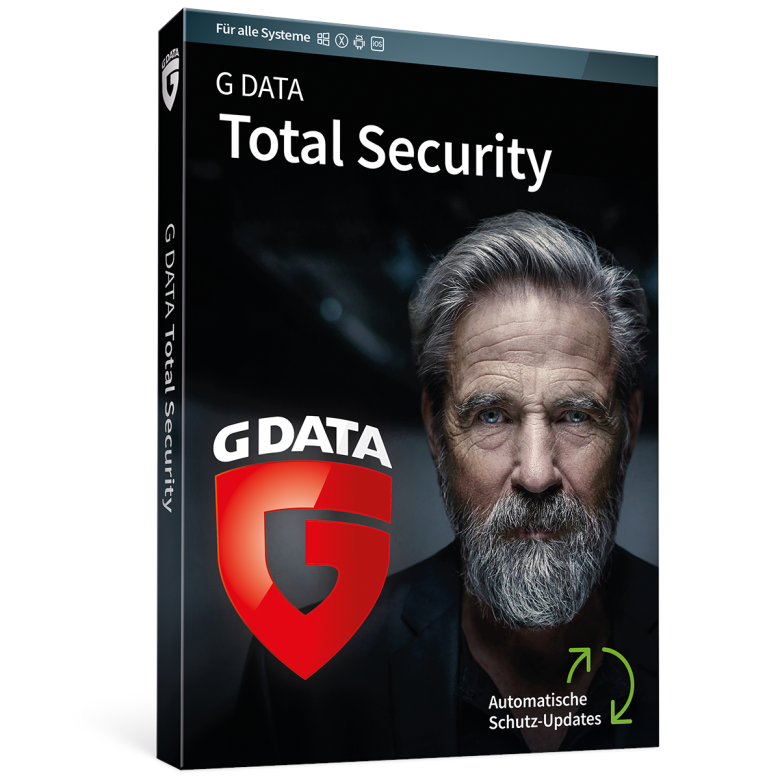
Mit unserer Total Security erhalten Sie unseren besten Rundumschutz für Ihre Endgeräte. Dank Technologien der nächsten Generation sind sie beim Surfen, Shoppen und allen weiteren Aktivitäten Ihres Internet-Alltags geschützt. Unsere Software erkennt manipulierte Phishing-Webseiten und blockiert sie, bevor Ihre Daten in die falschen Hände geraten. Praktische Zusatzfeatures wie eine Firewall, automatische Backups sowie die Möglichkeit einzelne Dateien oder Ordner mit einem Passwort zu versehen, erhöhen Ihre Sicherheit vor Kriminellen immens.
Bei Fragen und Problemen ist unser Support 24 Stunden am Tag für Sie erreichbar – sieben Tage die Woche und an 365 Tagen im Jahr.
Die technischen Daten werden uns von dritter Seite zur unverbindlichen Information zur Verfügung gestellt. Wir übernehmen keine Haftung für Fehler dieser Daten.
Vertrauen Sie auf höchste Erkennungsraten durch parallel arbeitende Technologien. Stündlich erhalten Sie neue Viren-Signaturen, für den besten Schutz gegen Schadsoftware.
Keine Chance für Erpressertrojaner: Unsere Anti-Ransomware-Technologie spürt erpresserische Trojaner auf, noch bevor sie Ihre Daten als Geisel nehmen können. Wir schützen Sie vor Kriminellen, die Ihre Fotos, Unterlagen und persönlichen Daten verschlüsseln.
Schützen Sie vertrauliche Informationen und Dateien mit einem Passwort. So greifen nur noch Menschen darauf zu, denen Sie wirklich vertrauen. Verschlüsseln Sie so auch externe Speichermedien wie USB-Sticks. Entschlüsseln Sie diese ohne vorherige Software-Installation allein mithilfe Ihres sicheren Passworts.
Bestimmen Sie, wer USB-Sticks, Brenner, Festplatten und andere Geräte an Ihrem PC verwenden darf. Mit der Zugriffskontrolle behalten Sie all Ihre USB-Steckplätze unter Kontrolle. So verhindern Sie, dass Schädlinge über externe Speichermedien auf Ihren Computer gelangen.
Die G DATA Firewall überwacht alle ein- und ausgehenden Verbindungen zum Schutz vor Hackern und Spionage-Software – vollautomatisch oder nach Ihren eigenen Regeln.
Räumen Sie so richtig auf: Mit unserem Browser Cleaner entfernen Sie lästige Toolbars und Add-ons aus Ihrem Internet Explorer, Firefox oder Chrome.
Machen Sie Ihre Bank-Angelegenheiten und Online-Shopping zu einer sicheren Sache – mit unserer patentierten BankGuard-Technologie. Die Funktion sorgt dafür, dass Ihr Browser nur unverfälschte Inhalte anzeigt.
Sichern Sie Ihre Daten ganz automatisch lokal auf Ihrem PC. Durch die passwortgeschützten Backups bleiben Ihre Daten stets geschützt.
Löschen Sie veraltete Cache-Einträge und anderen Ballast. So erhöhen Sie mit wenigen Klicks die Leistung Ihres PCs.
KEINE BOX EDITION
*Artikel als Download per Email
We only sell genuine software, including licenses, VL keys, and OEM keys.
Office 2016/2019/2021/2024PP as well as Standard are VL keys. These come from our Microsoft contracts 99% of the time. Unless otherwise indicated, all Windows licenses are also VL keys.
OV-NL Windows Enterprise Device Upg/SA 3Y AqY1 AP
OV-NL Office ProPlus LIC/SA 3Y AqY1 AP SL
Windows Upgrade IMPORTANT
MAC
· Activation is not possible via setup/office.com; you will receive instructions or download the Microsoft Development Tool for Office.
Text and documents.

Spreadsheets and calculations.

Present your ideas.

Manage databases.

Email and calendar.

Organise your notes.

See product description for details.
Teams: free version for joining meetings; it cannot be used to create your own meetings.
Compare editions, platforms and licence details.
Delivery is by email, depending on the product.
Follow the instructions or ask our support team.